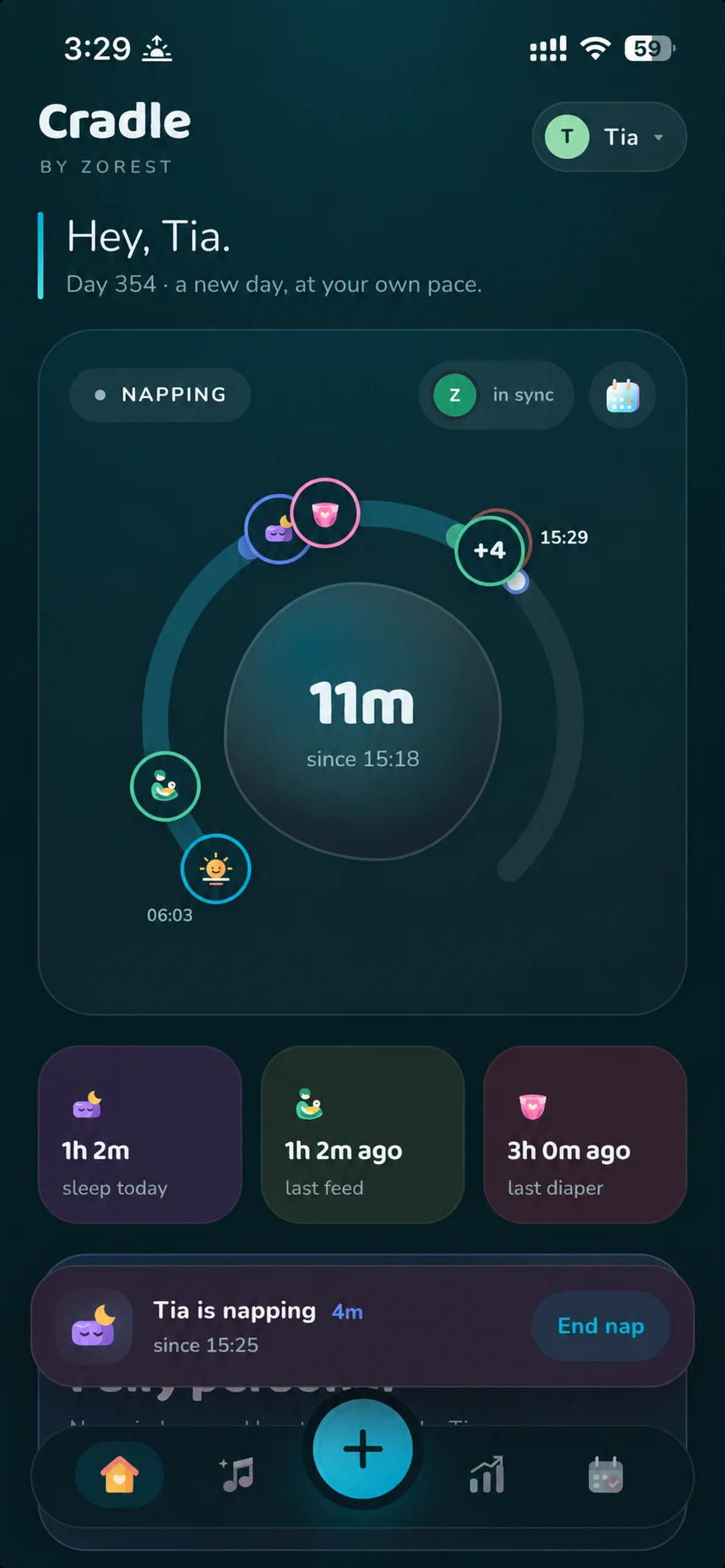
Baby sleep tracking. A clearer picture of their day.
Baby sleep tracking brings the small pieces of a long day together. Start a timer, record a wake-up and return to a timeline that helps you see what happened.
Start a sleep timer when your baby settles and record when they wake. Log bedtime, morning wake-ups and night wakings so daytime naps and overnight sleep stay in the same care record. You can revisit previous days and edit records if you missed a moment.
See the context around a nap
Check how long your baby has been awake or asleep, alongside the last feed and diaper change. Breastfeeding, bottles, pumping, solids and other care moments can live beside sleep, so you can review the day without switching between separate logs.
Review their changing routine
The daily timeline shows events in order, while trends help you explore sleep, naps and awake time over time. These records describe your baby’s routine; they do not prescribe how much your baby should sleep.
Give the next caregiver the same picture
Invite a partner or caregiver to your baby’s nursery to share sleep and care records. An Apple Watch companion offers quick sleep, feed and diaper logging, and Live Activities let you follow a running nap on your iPhone’s Lock Screen.
What can I log from Apple Watch?
The Apple Watch companion lets you start or end sleep, record nursing, add a bottle and log a diaper change. You can also check your baby’s current sleep state, last feed, last diaper and today’s sleep. Choose the correct baby before logging when you track more than one.
How do I get started on Apple Watch?
Use the watch companion alongside Cradle on your paired iPhone. If the watch asks you to sign in, open Cradle on your iPhone and sign in there. If the baby’s day cannot load, check your connection and try again. Review your phone’s timeline to confirm the care record.
Open Cradle on your paired iPhone and sign in.
Open the Cradle companion on Apple Watch and choose your baby.
Use the logging view to record sleep, a feed or a diaper change.
Can I track sleep before nap predictions are available?
Yes. Sleep logging and the timeline are separate from prediction eligibility. For babies under two months, use the records to observe their routine; Cradle does not provide predicted nap windows at that age.