Which baby apps track breastfeeding and pumping together?
Cradle publishes this comparison. App details checked on October 23, 2026.
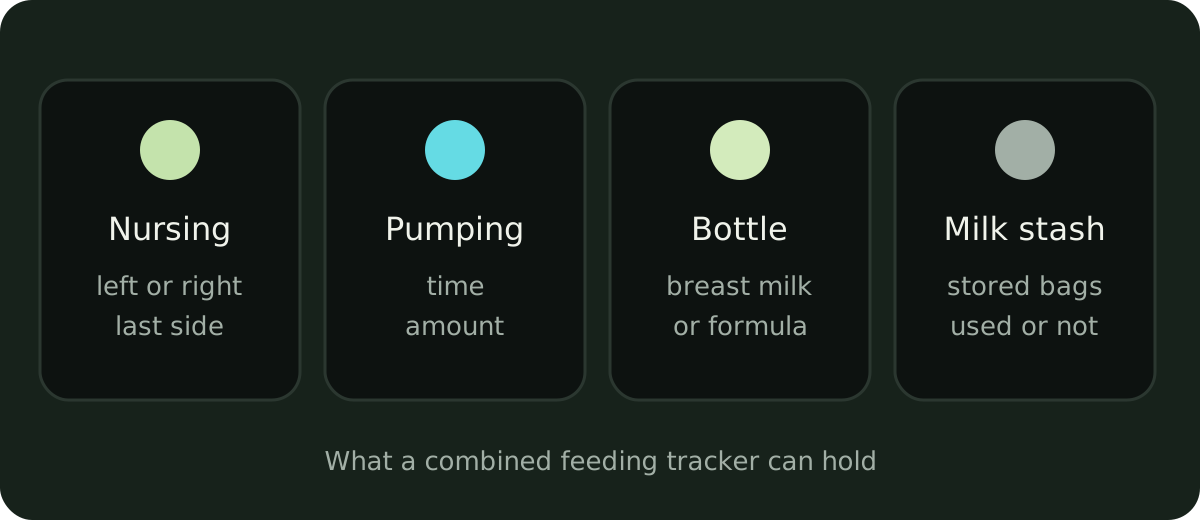
Most general baby trackers for iPhone log both breastfeeding and pumping. When we checked each company’s own pages, Huckleberry, Nara Baby, Baby Daybook, Baby Tracker by Nighp Software, ParentLove, Glow Baby and Baby Tracker & Newborn Log by Med ART Studios (the app formerly called Sprout) all described both. They differ on the details: whether the app records which side you nursed on last, whether pumping amounts are per side, whether it keeps a milk stash, and which parts need a paid plan. Cradle logs breastfeeding, bottles and pumping in the same timeline as sleep and diapers.
We publish Cradle. Everything below about other apps comes from their own App Store listings and websites on the date shown above. “Not stated” means we couldn’t find the detail there, not that the feature is missing.
Which apps log both nursing and pumping?
| App | Nursing: timer and sides | Pumping | Bottle: breast milk or formula | Milk stash | Paid plan needed |
|---|---|---|---|---|---|
| Cradle | Breastfeeding logged; nursing can be recorded from Apple Watch | Pumping sessions logged | Bottles logged; split not described on our feature pages | No | The app needs a subscription |
| Huckleberry | Timer for both sides; shows the last side nursed | Pumping timer and pumping reminders | Not stated | Not stated | Breastfeeding timer and reminders are free |
| Med ART Studios (formerly Sprout) | Nursing timers; sides not stated | Sessions with time and quantity | Bottle and formula intake | Not stated | Not stated |
| Nara Baby | Left and right timer; notes the side that ended the last feed | Timer on each side | Yes, formula or breast milk | Not stated | 7-day free trial, then a subscription to keep logging |
| Glow Baby | Feeding timer; sides not stated | Pump Log for sessions, supply and storage details | Not stated | Storage details | The tracker is free; Premium adds insights |
| Baby Daybook | Timers for each breast | Sessions with sides and amount | Yes, breast milk and formula | Not stated | Pumping reminders are Premium |
| Baby Connect | Nursing listed | Pumping listed | Not stated | Not stated | Subscription needed to save entries after a 7-day trial |
| Baby Tracker (Nighp) | Timer, time on each breast, last side used | Sessions and amounts | Yes, formula and expressed milk | Not stated | Core tracking is free |
| ParentLove | Breastfeeding lengths; timer and sides not stated | Total ounces pumped, with reminders | Not stated | Milk Bank, a one-time Pro purchase | Logs are free |
What do the details look like in each app?
Huckleberry lists a breastfeeding timer that tracks both sides among its free features, and its release notes say the week view shows which breast you nursed on last. Pumping has its own timer. Huckleberry’s guide to reminders says you can set pumping reminders by time or by interval. Its pages don’t say whether pumping amounts can be split by side.
Nara Baby says its breastfeeding timer tracks left and right and notes which side ended the last feed. Pumping uses a timer on each side, and bottles can be logged as formula or breast milk by time and amount. Nara’s FAQ says new users get a 7-day free trial with full access. After that the app is read-only, so you can view and export but not add new entries, unless you subscribe.
Baby Daybook has start and stop timers for each breast. Its own blog describes logging a pumping session by choosing sides, entering the time and adding the amount. Bottles can be breast milk or formula. Customizable reminders, including for a pumping session, are part of Premium.
Baby Tracker by Nighp Software records which side you used last and the time spent on each breast, logs pumping sessions and amounts, and separates bottles of formula and expressed milk. Its listing says core tracking stays free.
ParentLove says breastfeeding, bottle, sleep, diaper and pumping logs remain free. It tracks total ounces pumped. Its Milk Bank, a breast milk inventory that alerts you before milk expires, is part of the one-time Pro upgrade rather than a subscription. ParentLove lists iPhone only.
Glow Baby has a Pump Log for pumping sessions, milk supply and storage details, alongside a feeding timer. Glow says the app is a fully working tracker without a Premium subscription.
Baby Tracker & Newborn Log by Med ART Studios is the App Store listing that used to be called Sprout. It logs nursing with timers and pumping sessions with time and quantity, plus bottle and formula intake. It doesn’t say which features need its Premium plan.
Baby Connect lists nursing and pumping among the things it tracks but doesn’t describe them further on its App Store page. We couldn’t load its own website. The listing says a subscription is needed to save entries after the 7-day trial.
Cradle keeps breastfeeding, bottles, pumping and solids in one daily timeline with sleep, diapers and night wakings, and everyone invited to the baby’s nursery sees the same record. From Apple Watch you can record nursing and add a bottle. Our feature pages don’t describe side tracking, per-side pumping amounts or a milk stash, so if those matter to you, one of the apps above may fit better. See how Cradle tracks sleep and daily care.
What about dedicated pumping apps?
If pumping is the main job, for example if you exclusively pump, a pumping-only app may suit you better than a general tracker.
- Pump Log by Stefanik Software tracks time, volume, side and notes for each session. It has a freezer stash you can mark as used, custom pumping reminders, a session timer and an Apple Watch companion. Its website says it’s free to try with a one-time upgrade and no subscription.
- Pumpables tracks and charts pumping output and lets you personalize and share pumping programs. Its release notes say you can track a milk stash alongside sessions. The App Store page lists it as free, for iPhone only.
Neither describes nursing and bottle logging in the same detail as the general trackers, so a family that nurses, pumps and gives bottles might end up using two apps.
Which app fits which family?
- If you nurse and want to know which side to start on, Huckleberry, Nara Baby and Baby Tracker by Nighp all say they show the last side.
- If you pump and want amounts per side, Baby Daybook describes choosing sides and entering an amount, and Nara Baby times each side.
- If you’re building a freezer stash, ParentLove’s Milk Bank, Pump Log and Pumpables all describe stash tracking, and Glow records storage details.
- If you’d rather not subscribe, ParentLove keeps its logs free with one-time upgrades, Baby Tracker by Nighp keeps core tracking free, and Pump Log uses a one-time upgrade.
- If feeds are one part of a shared day you want to see whole, with sleep, diapers and nap windows for eligible babies in one record for every caregiver, that’s what Cradle is built for. See how shared tracking works.
What should I check before choosing?
- Log a real feed during any free trial: a nursing session with a side switch, a pumping session and a bottle. Check the app records what you need.
- Read the in-app purchases on the App Store listing for your country. Some apps list several prices under the same plan name.
- Check whether reminders, stash tracking or history beyond a few days need the paid plan.
- If a partner gives bottles, confirm their entries show up on your phone.
However you track, the numbers are for your own reference. If you’re worried about how feeding is going, see our guide to how many wet diapers a newborn should have, and talk to your pediatrician or a lactation consultant.
Sources
- Cradle baby sleep tracking and daily care
- Huckleberry: Baby Tracker (App Store)
- Huckleberry free features
- How to set up reminders in the Huckleberry app (Huckleberry)
- Baby Tracker & Newborn Log by Med ART Studios (App Store)
- Nara Baby & Pregnancy Tracker (App Store)
- Nara Baby & Pregnancy Tracker FAQs (Nara Organics)
- Glow Baby Tracker & Growth App (App Store)
- Glow Baby app (Glow)
- Baby Daybook - Newborn Tracker (App Store)
- Baby Daybook Premium
- The signs baby is getting enough milk (Baby Daybook)
- Baby Connect: Newborn Tracker (App Store)
- Baby Tracker - Newborn Log by Nighp Software (App Store)
- ParentLove: Baby Tracker (App Store)
- Pump Log - Track Breast Milk (App Store)
- Pump Log (Stefanik Software)
- Pumpables (App Store)