Which baby tracker apps work on iPad as well as iPhone?
Cradle publishes this comparison. App details checked on October 30, 2026.
Seven of the ten baby tracker apps we checked list iPad in their App Store compatibility: Cradle, Huckleberry, Glow Baby, Baby Daybook, Baby Connect, Baby Tracker by Nighp Software and Baby Tracker & Newborn Log by Med ART Studios (formerly Sprout). Napper, Nara Baby and ParentLove list iPhone only. Three of the seven carry Apple’s “Designed for iPad” line at the top of the listing (Glow Baby, Baby Daybook and Med ART Studios); for the others the listing doesn’t say whether you get an iPad layout or the iPhone app on a bigger screen. Every app that supports iPad also describes some way to keep records in step between the family’s devices.
We publish Cradle. Everything below about other apps comes from their own App Store listings, websites and help pages on the date shown above. “Not stated” means we couldn’t find the detail there, not that the feature is missing.
Which baby tracker apps list iPad support?
| App | iPhone | iPad | “Designed for iPad” line | Apple Watch | Mac | Records sync between devices |
|---|---|---|---|---|---|---|
| Cradle: Baby Sleep Tracker by Zorest | Yes, iOS 16.6 or later | Yes | Not stated | Yes, companion app | Not listed | Yes, one shared log per baby |
| Huckleberry | iOS 16.0 or later | iPadOS 16.0 or later | Not stated | watchOS 10.2 or later; Plus or Premium | Not listed | Yes, sign in on each device; free |
| Napper | iOS 16.4 or later | Not listed | Not applicable | watchOS 26.0 or later | Not listed | Yes, the baby and subscription are shared with caregivers |
| Nara Baby | iOS 16.1 or later | Not listed; “Designed for iPhone” | Not applicable | watchOS 8.1 or later | macOS 13.0 or later, Apple M1 or later | Yes, family access across devices |
| Glow Baby | iOS 16.0 or later | iPadOS 16.0 or later | Yes; “Not verified for macOS” | watchOS 6.0 or later | macOS 13.0 or later, Apple M1 or later | A second caregiver needs the Family Plan |
| Baby Daybook | iOS 15.0 or later | iPadOS 15.0 or later | Yes; “Not verified for macOS” | watchOS 9.0 or later | macOS 12.0 or later, Apple M1 or later | Yes, Premium family sync; one subscription for Android and iOS |
| Baby Connect | iOS 15.0 or later | iPadOS 15.0 or later | Not stated | watchOS 9.0 or later | Not listed | Yes, across all devices and caregivers, plus a web browser |
| ParentLove | iOS 15.0 or later; “Only for iPhone” | Not listed; “Designed for iPhone” | Not applicable | Not listed | macOS 12.0 or later, Apple M1 or later; “Not verified for macOS” | Yes, free caregiver sharing with offline sync |
| Baby Tracker (Nighp) | iOS 15 or later | iPadOS 15 or later | Not stated; the website shows iPad screenshots | watchOS 10.0 or later | Not listed | Yes, a sync group with no device limit |
| Med ART Studios (formerly Sprout) | iOS 18.6 or later | iPadOS 18.6 or later | Yes; “Not verified for macOS” | watchOS 10.6 or later | macOS 15.6 or later, Apple M1 or later | Yes, real-time sharing |
Several listings show a Mac requirement next to “Not verified for macOS”. We report the line as it appears. None of these companies describes a Mac app on its website, so treat the Mac entry as unconfirmed until you try it.
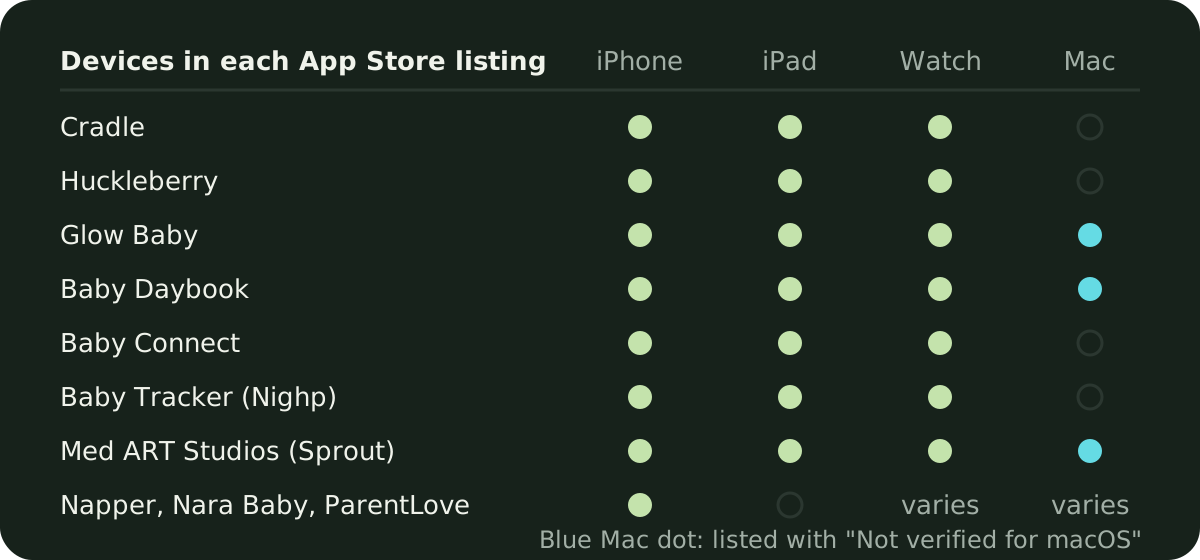
What does each listing say about iPad and syncing?
Cradle: Baby Sleep Tracker by Zorest is on the App Store for iPhone and iPad, with an Apple Watch companion; the iPhone app needs iOS 16.6 or later. Our pages don’t describe the iPad layout, so we’ll say Not stated here too. Records sync because every invited parent or caregiver logs into the same nursery for that baby, and the owner’s active subscription covers them. Each baby has a separate profile, and you can choose whether to get a notification when another caregiver logs sleep. See shared baby tracking.
Huckleberry lists iPhone, iPad and Apple Watch, with no “Designed for iPad” line in the listing we saw. Caregivers sync by signing in to the same account on each device, and the pricing page puts that in the free tier. Apple Watch, widgets and lock screen updates need Plus or Premium and are marked iOS only. Huckleberry is also on Android.
Napper lists iPhone and Apple Watch, and no iPad. If you open Napper on an iPad, you’ll be using the iPhone app. The baby profile and the subscription can be shared with as many caregivers as needed, so a second phone sees the same records. Napper also links to Google Play.
Nara Baby lists iPhone, Apple Watch and Mac, with “Designed for iPhone” at the top and no iPad entry. The FAQ says your subscription follows your Nara family, so access works across devices when you sign in with the purchasing account, and invited caregivers get full access to the same record. Nara’s FAQ also describes Android phones.
Glow Baby lists iPhone, iPad, Apple Watch and Mac, and the listing header reads “Designed for iPad. Not verified for macOS.” Glow’s website says tracking stays on your account without a subscription, and that adding a second caregiver needs the Family Plan. Glow is on iOS and Android.
Baby Daybook lists iPhone, iPad, Apple Watch and Mac, with the same “Designed for iPad. Not verified for macOS.” header. Family sync is a Premium feature; caregivers connected to your baby profiles get Premium access too, and a single subscription works on both Android and iOS. Its Apple Watch page says the watch app can start and stop activities and syncs with the phone app.
Baby Connect lists iPhone, iPad and Apple Watch, with no “Designed for iPad” line. Its listing says the subscription is valid across all devices and family members or caregivers, and that it works in a web browser as well, which no other app here describes. Android isn’t mentioned on the listing, and the website didn’t load when we checked.
ParentLove’s listing says “Only for iPhone” and “Designed for iPhone”, and lists Mac but not iPad or Apple Watch. Caregiver sharing is free and unlimited, with per-child, per-feature invite links and offline entries that sync when the device reconnects. The website says family members can mix Android and iPhone.
Baby Tracker by Nighp Software lists iPhone, iPad and Apple Watch, with no “Designed for iPad” line in the listing; its website has a separate iPad page with iPad screenshots but no text about the layout. Devices sync through a group you create with an email and password, with no stated limit on the number of devices. The FAQ notes that data restore isn’t supported in sync mode. There is an Android app too.
Baby Tracker & Newborn Log by Med ART Studios, formerly Sprout, lists iPhone, iPad, Apple Watch and Mac, with “Designed for iPad. Not verified for macOS.” in the header. It needs iOS 18.6 or iPadOS 18.6 or later, the newest requirement in this group, so check an older iPad before you count on it. Sharing with family and caregivers is in real time, and the watch app logs feeding, sleep and diaper changes. Google Play is linked from its website.
Why keep an iPad at home and a phone on the go?
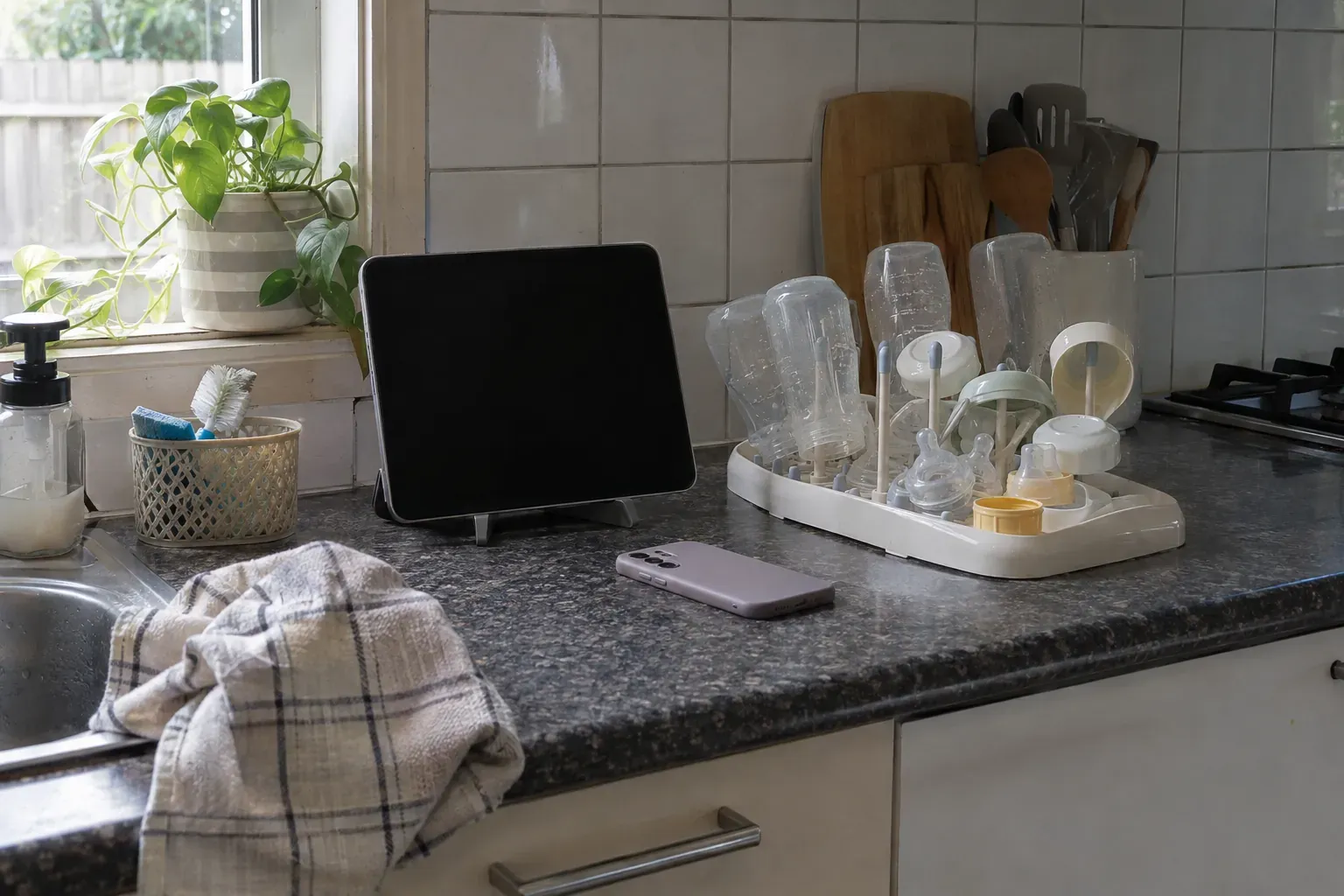
An iPad in the nursery or on the kitchen counter is easy for whoever is home to glance at. A grandparent or a nanny can see the last feed and whether the baby is asleep without unlocking anyone’s phone. The parent who leaves for work keeps the same record on their iPhone, and the one who wears a watch can log a feed or a diaper from their wrist. The arrangement only works if the app treats both devices as one log, which is why the sync column matters more than the iPad column. Our guide to baby tracker apps for Apple Watch covers what each watch app can do.
A shared iPad also raises a small question: whose account is it signed into? Apps that share through one login (Huckleberry, Nighp’s sync group) put the whole family on that account. Apps that invite each caregiver separately (Cradle, Nara Baby, ParentLove, Baby Connect) let you sign the iPad in as its own member. Either works; decide before you set the iPad up.
What should I check before choosing?
- Read the compatibility section of the listing, further down than the screenshots. It names iPhone, iPad, Apple Watch and Mac separately, with the minimum OS for each.
- Whether sync is free. Huckleberry and ParentLove say yes; Baby Daybook puts family sync in Premium; Glow Baby needs the Family Plan for a second caregiver; Cradle needs the owner’s subscription, which then covers everyone invited (see the pricing page).
- Whether the second device counts as a caregiver. Apps that share one login don’t care; apps that invite members may.
- The minimum iPadOS. Med ART Studios needs iPadOS 18.6, Huckleberry and Glow Baby need 16, Baby Daybook, Baby Connect and Nighp need 15.
- Whether anyone in the family uses Android. Cradle is iPhone and iPad only; Huckleberry, Napper, Nara Baby, Glow Baby, Baby Daybook, ParentLove and Nighp all describe or link to an Android app.
For how these apps compare on sleep tracking itself, see our roundup of baby sleep tracker apps for iPhone.
Sources
- Cradle baby sleep tracking and daily care
- Cradle shared baby tracking
- Cradle pricing
- Huckleberry: Baby Tracker (App Store)
- Huckleberry app features and pricing
- Napper: Baby Sleep Tracker (App Store)
- Napper pricing
- Nara Baby & Pregnancy Tracker (App Store)
- Nara Baby app FAQs (Nara Organics)
- Glow Baby Tracker & Growth App (App Store)
- Glow Baby app (Glow)
- Baby Daybook - Newborn Tracker (App Store)
- Baby Daybook Premium
- Baby Daybook Apple widgets and Watch app
- Baby Connect: Newborn Tracker (App Store)
- ParentLove: Baby Tracker (App Store)
- ParentLove baby tracker
- Baby Tracker - Newborn Log by Nighp Software (App Store)
- Baby Tracker for iPad (Nighp Software)
- Baby Tracker FAQ (Nighp Software)
- Baby Tracker & Newborn Log by Med ART Studios (App Store)
- Sprout Baby Tracker (Med ART Studios)