How do I start tracking my baby's sleep in Cradle?
To start tracking your baby’s sleep in Cradle, add your baby’s profile with their date of birth, then start a sleep timer when they settle and record the wake-up when they stir. Log bedtime, any night wakings and the morning wake-up the same way, so daytime naps and overnight sleep end up in one record. If you miss a moment, revisit the day and add or edit the entry afterwards.
Cradle: Baby Sleep Tracker by Zorest runs on iPhone and iPad, with an Apple Watch companion. It is free to download, and using the app requires a subscription (see the pricing page).
What do I need before I log the first nap?
A baby profile with a date of birth. Cradle uses age to decide which guidance is available, so enter the real date rather than a rough one. If you care for more than one baby, give each their own profile and switch to the right baby before logging.
Nothing else is required. You don’t need a week of history or a settled routine before the first entry.
How do I log a nap as it happens?
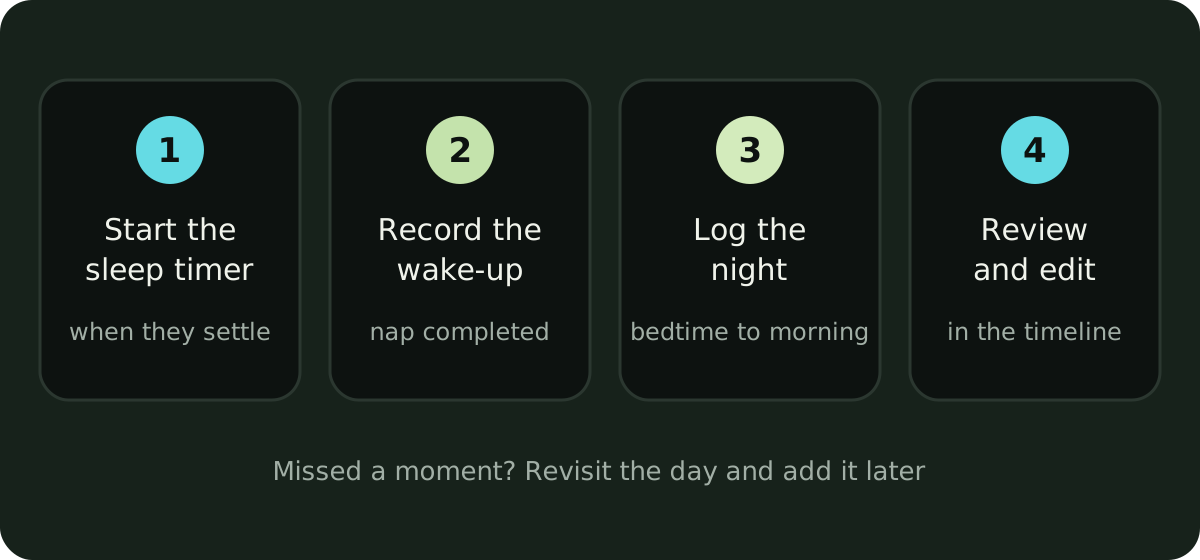
- Start the sleep timer when your baby settles.
- Record the wake-up when they stir. The nap is now a completed record with a start, an end and a length.
- Log the night the same way: bedtime, each night waking, and the morning wake-up.
- Open the day in the timeline, check the entries are in the right order, and correct anything you missed.
The morning wake-up marks the start of the day’s first awake stretch, and later it becomes the reference point for the first nap window, so it is worth logging even on days when nothing else gets logged.
What if I forgot to start the timer?
Revisit the day and add the sleep afterwards, or edit the record that is there. Cradle lets you go back to previous days and edit records if you missed a moment, so a nap that happened in the car at 2pm can still be entered at 6pm and counts as a completed record.
One habit worth keeping from the start: make sure the current sleep state is right. If a timer is still running after your baby woke, stop it and set the wake time. If they fell asleep and nobody started a timer, add the sleep once you notice. Later on, an accurate current state is one of the things a nap window depends on.
What does Cradle show next to the sleep log?
Cradle shows how long your baby has been awake or asleep, alongside the last feed and the last diaper change. Breastfeeding, bottles, pumping, solids and other care moments can live beside sleep, so you can review the day without switching between separate logs. When a nap isn’t happening, that context often explains it: the last feed was a while ago, or the diaper is due.
The daily timeline shows events in order, and trends let you explore sleep, naps and awake time over time. These records describe your baby’s routine; they don’t prescribe how much your baby should sleep. If you’d like a sense of what awake stretches look like at different ages, our post on what a wake window is covers that.
Can I follow a running nap from the Lock Screen?
Yes. Live Activities let you follow a running nap on your iPhone’s Lock Screen, so you can see how long your baby has been down with a glance at the phone. The Apple Watch companion can also start or end sleep from your wrist, and the sleep tracking guide covers that setup.
What happens if my baby is under two months old?
Logging works the same. For babies under two months, Cradle focuses on observing sleep: you can log naps, nights and wake-ups and review the timeline and trends, but it doesn’t suggest a nap window at that age. Sleep logging and history remain available outside the prediction age range, so the records you build now are still there when your baby becomes eligible.
That observing period is useful on its own. A week of entries shows you when the long stretches tend to fall and how the awake time is changing, which is hard to see from memory at 3am.
How does sleep tracking lead to a nap window?
For eligible babies aged two to under 25 months, Cradle uses completed sleep records to suggest a next nap window. It looks at the previous 14 completed days, compares similar naps and the awake time before them, and suggests a window after the current wake-up. Completed naps, a marked morning wake-up and an accurate current sleep state are what it needs, which is what the steps above produce. With sparse history the suggestion is less personalized, or there may be no window yet.
A window is a possible time to offer a nap, never a guarantee. How to get your first nap window walks through eligibility, the questions the app may ask, and the reasons a window might not show.
Sources
This article is for general education and is not medical advice. Talk to your pediatrician about your baby's health.