How do I fix a missed or wrong sleep entry in Cradle?
To fix a sleep entry in Cradle, go back to the day it happened and edit the record, or add the sleep you missed. Cradle lets you revisit previous days and edit records if you missed a moment. If a timer is still running after your baby woke, stop it and set the real wake time. Then carry on logging as normal: Cradle recalculates its suggestions when the relevant records change.
Cradle: Baby Sleep Tracker by Zorest runs on iPhone and iPad, with an Apple Watch companion. It is free to download, and using the app requires a subscription (see the pricing page).
What are the most common sleep logging mistakes?
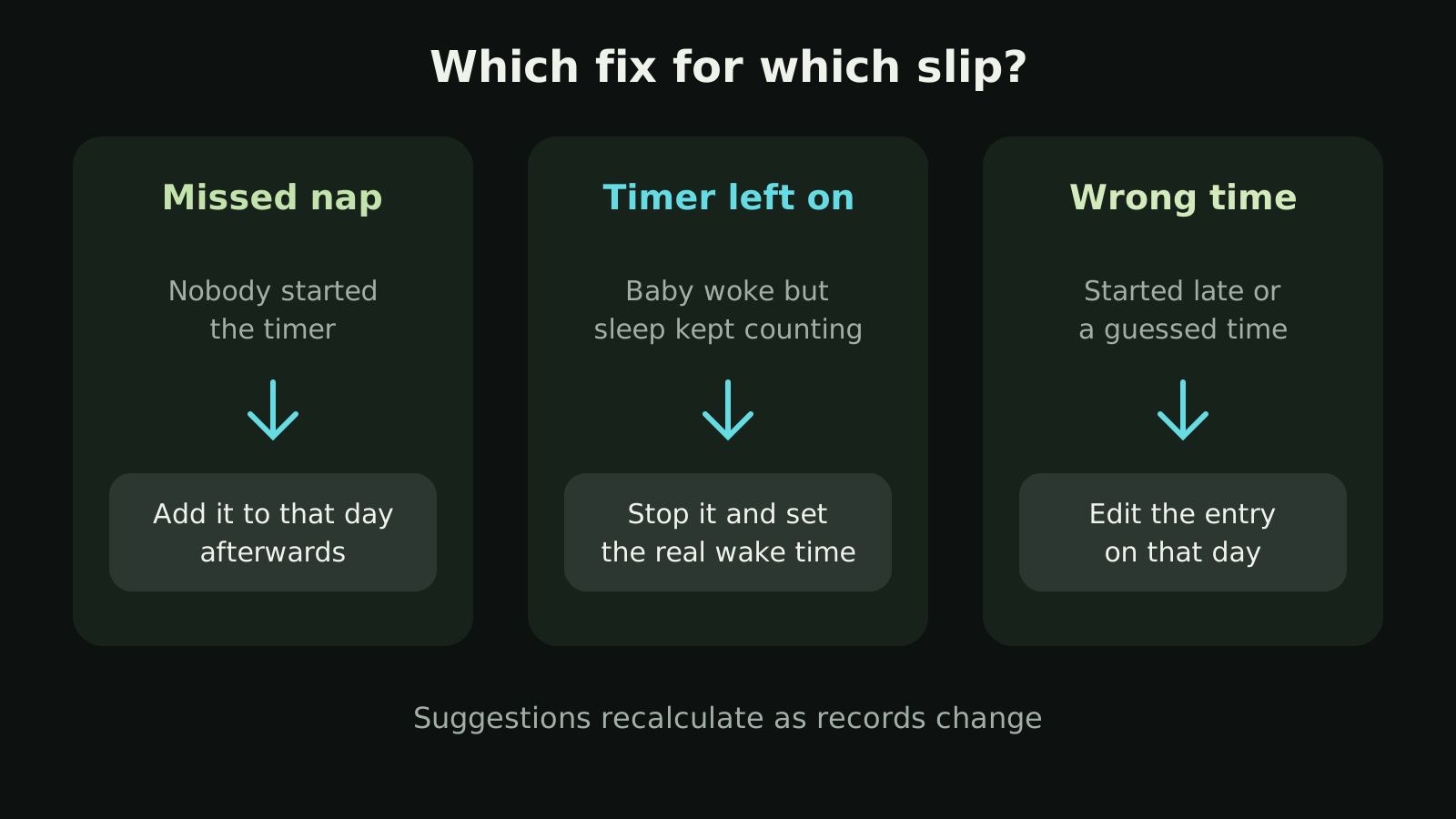
Nearly every family makes the same three:
- A nap that never got logged: your baby dozed off in the car or on a walk and nobody started a timer.
- A timer left running: your baby woke, you went straight to a feed, and the sleep kept counting.
- A wrong time: the timer started late, or a night waking was logged after the fact with a guessed time.
How do I add a nap I forgot to log?
Go back to that day and add the sleep with the times it actually happened. It doesn’t matter if you notice hours later or the next morning. Cradle lets you revisit previous days, so a nap from 2pm can still go in at 6pm.
If someone else was looking after your baby, check the timeline first. Invited caregivers log into the same record, so the nap may already be there. The shared tracking guide explains who can see and log care for your baby.
What if the sleep timer is still running after my baby woke?
Stop it and set the real wake time, as soon as you spot it. While the timer runs, the nap keeps getting longer in your records, and Cradle reads a running timer as your baby still being asleep. An active sleep session or an unclear current sleep state can stop a nap window from showing, so the next suggestion is held up until the record matches what happened.
Live Activities show a running nap on your iPhone’s Lock Screen, and the Apple Watch companion shows your baby’s current sleep state, so a timer left on by mistake is often easiest to catch on one of those. The watch can also start or end sleep. After logging from your wrist, check the timeline on your phone to make sure the record is right.
How do I correct a wrong start or end time?
Open the day, find the entry and edit it to the times you remember, even if they’re approximate. A nap that started at roughly 10:15 is more use logged as 10:15 than left at the 10:40 when someone finally remembered the timer.
The morning wake-up is the one to get right. It marks the start of the first awake stretch of the day, so a missing or mistimed morning wake shifts the reference point for the day’s first nap window. If the morning wake didn’t get logged, add it.
Why does fixing old entries matter for nap windows?
For eligible babies aged two to under 25 months, Cradle suggests a next nap window from the previous 14 completed days of recorded sleep. It compares similar naps and the awake time before them, and it needs suitable sleep history to do that. A nap that was never logged, or one recorded three hours too long, becomes part of that history.
Suggestions are recalculated as relevant records change, so a correction to yesterday can feed into the window you see today. Even with tidy records, a window is a possible time to offer a nap, never a guarantee, and some suggestions show an estimated reliability score that describes the history behind them, not their accuracy. The nap predictions guide explains the full calculation.
If your baby is under two months old, there is no nap window yet, but fixing entries is still worth doing. Logging and history remain available at any age, and the records you build now are the ones Cradle will use later.
What if Cradle asks me to confirm that logging was complete?
Confirm only if it was. Where the app asks you to confirm complete logging, confirm only periods when all sleep was recorded. If you know a nap went unlogged that day, add it first. If you can’t remember enough to add it, don’t confirm that period as complete.
Should I fill in a day I barely logged?
Fill in what you know. If you remember the main nap and the morning wake-up, add those. You don’t need to reconstruct every minute, and there’s no point inventing a nap you don’t actually remember.
Just don’t confirm that day as complete. The habits Cradle describes for good records are simple: record sleep consistently, mark morning wake-ups, and correct missed or inaccurate entries when you notice them.
Where can I learn the basics of sleep logging?
If you’re still setting up, how to start tracking your baby’s sleep in Cradle covers the first nap, nights and wake-ups. Once you’re seeing windows, using the nap window as a guide explains how to read them alongside your baby’s cues. The baby sleep tracking page has the full feature overview.
Sources
This article is for general education and is not medical advice. Talk to your pediatrician about your baby's health.